Online calendar and schedules
An online calendar that keeps the whole team in sync
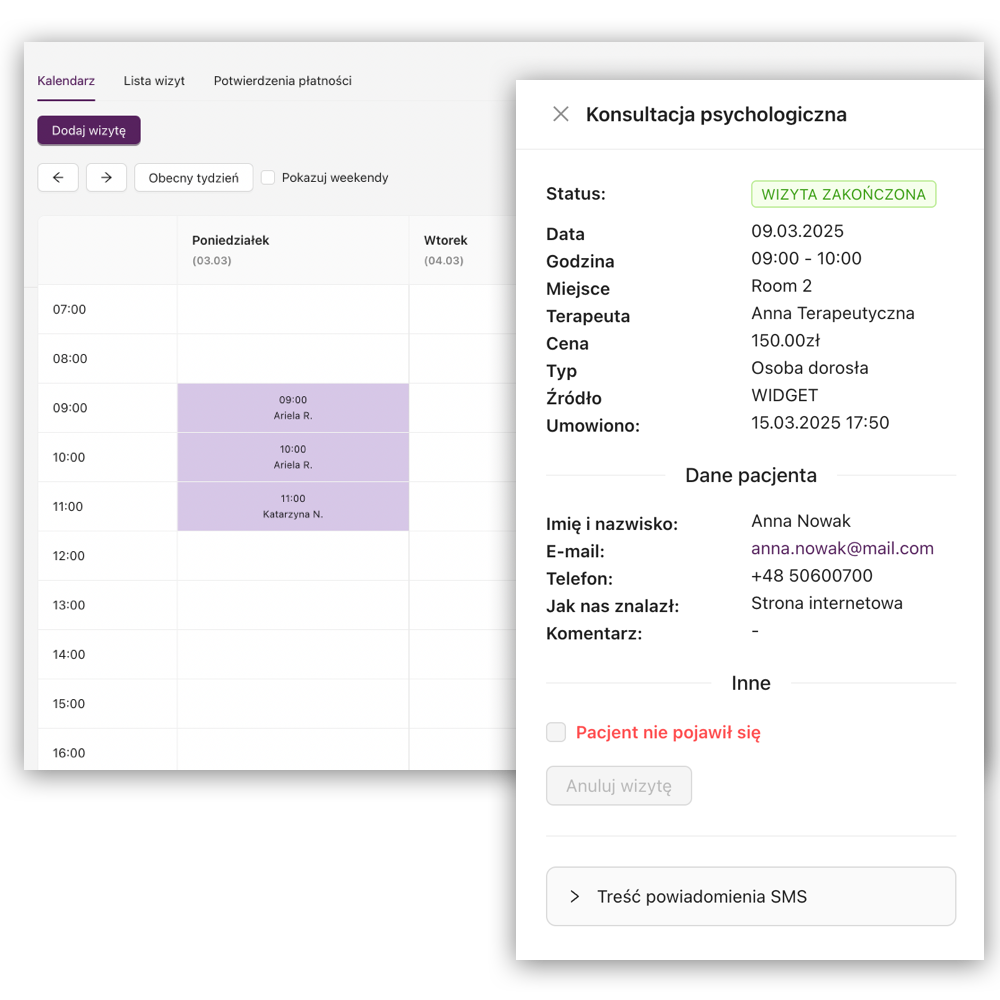
See appointments and availability in one place, filter the view by specialist and plan schedules without switching between spreadsheets.
The result
What changes in your daily work
The calendar connects staff availability with actual appointments. Specialists can manage their own work, while reception, coordinators and administrators receive a broader view appropriate to their role.
- One source of truth for availability and appointments
- Clear weekly views for specialists and the wider team
- Faster identification of free slots and scheduling conflicts
- Support for in-person, online and group work
In practice
How it works
- 1
Set availability
Create a one-off schedule or plan repeating availability for one, three or six months.
- 2
Choose the place and service
Assign a room or online availability and, when needed, limit a block to one service or group class.
- 3
Manage appointments
Online and internally booked appointments appear in the calendar and appointment list with their key details.
Capabilities
What you can do in MyMedCal
- Weekly calendar and appointment list
- Views and filters by specialist
- Schedules by staff member or room
- Availability for all services, one service or a group class
- One-off and longer-term schedule planning
- New-patient availability exceptions
- Appointments added within or outside the regular schedule
- Online appointment locations
Free consultation
See how your facility could work
We'll review your reception, schedules, and patient bookings. We'll show you how to simplify day-to-day team organization and adapt MyMedCal to your facility's needs.
Who it helps
When this feature is especially useful
- Reception searching for a suitable appointment across the team
- A coordinator planning several specialists' working hours
- A specialist adjusting availability for new patients
- A facility combining physical rooms with remote consultations
Keep exploring
Related MyMedCal features
Online booking
Online patient booking with a facility widget or personal specialist widget, direct booking links, service preselection and live availability.
Learn more →Room and office booking
Connect specialist availability with physical rooms and prevent overlapping room schedules in your facility.
Learn more →Multiple locations
Manage specialists, schedules, patients and reporting across several locations from one MyMedCal account.
Learn more →
Frequently asked questions
Can I use the calendar on a phone?
Yes. MyMedCal can be accessed on mobile and desktop devices.
Can reception see every specialist's appointments?
Yes. Reception and administrative roles can view the facility calendar and filter it to a selected specialist.
Can I create a schedule for several months?
Yes. Availability can be planned for one, three or six months, with a summary shown before it is confirmed.
Can a time block be limited to one service?
Yes. A schedule can allow all individual services, one selected service or one group class.
Can I add an appointment outside the schedule?
Yes. Authorised users can add an appointment outside regular availability and assign an appropriate room or online location.
Does the calendar distinguish online bookings?
Yes. Appointment details and lists show whether a booking came through the online widget or was entered internally.
Can I stop accepting new patients for a selected time?
Yes. A specialist has a default new-patient setting, and individual schedule blocks can override it.